
Paste AI-generated code
Start with HTML, CSS, and JavaScript from ChatGPT, Claude, Cursor, Gemini, or your own editor.
Paste the HTML, CSS, and JavaScript you got from ChatGPT, Claude, Cursor, or Gemini. WebDYI helps you add safe editable settings and publish a clean widget link for Canva, Shopify, WordPress, Notion, Webflow, or any website.
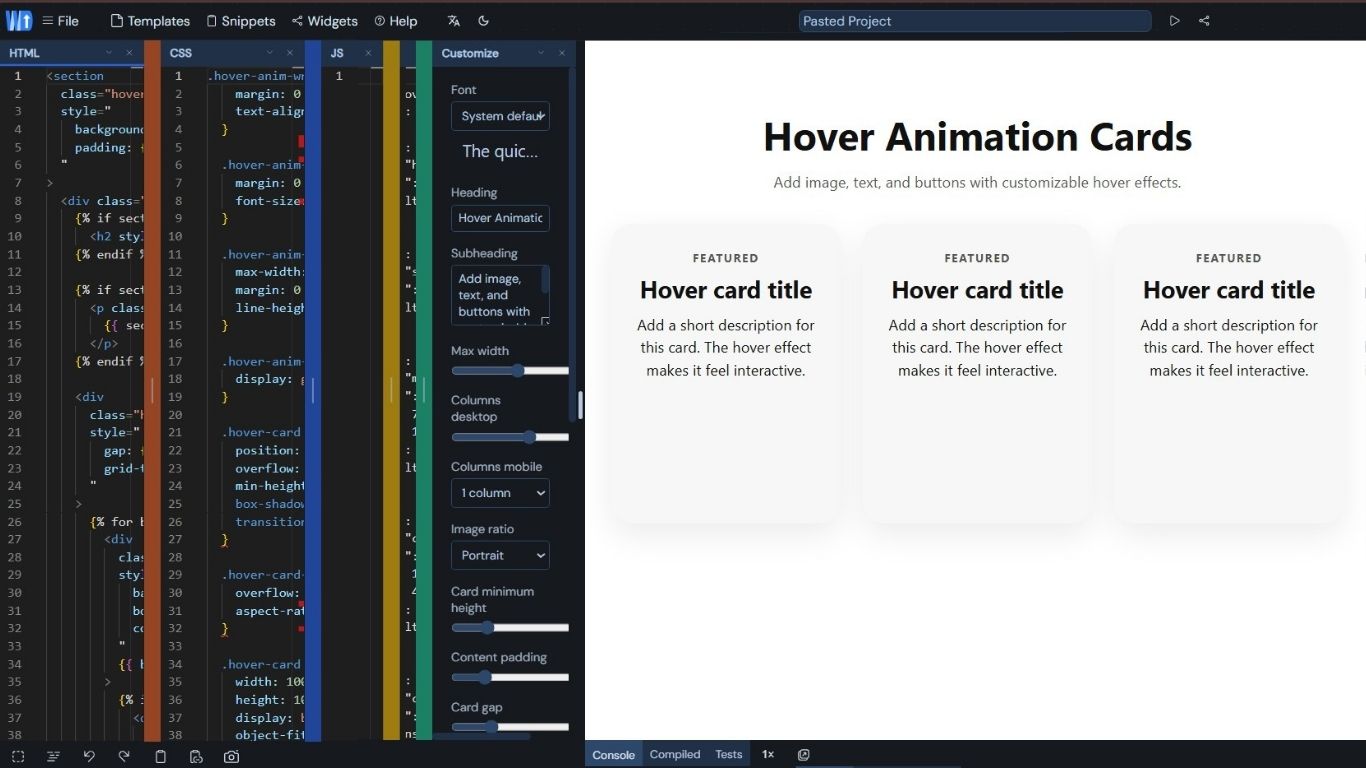
Text, colors, media, icons, and layout settings become friendly fields.
Share a public URL, iframe, or widget link without setting up hosting.
Most AI snippets work once, then become painful to edit. Use this prompt to ask for the widget code plus a WebDYI schema, so text, colors, images, icons, and form fields can become safe controls.
The loop stays simple: paste what the AI gave you, expose safe controls, preview the result, and copy the embed link.
WebDYI gives vibe-coded snippets the product layer: editable settings, safe hosting, embed delivery, starter widgets, sharing, and simple pricing.
Start with HTML, CSS, and JavaScript from ChatGPT, Claude, Cursor, Gemini, or your own editor.
Convert hard-coded values into editable text, colors, numbers, images, icons, and toggles.
Move past the AI preview. Widgets are CDN-hosted and isolated in sandboxed iframes.
Remix calculators, countdowns, forms, galleries, testimonials, music players, and more from reusable starters.
Every widget gets a clean public URL for clients, collaborators, and platforms that support embeds.
Start free with unlimited widgets and views, then upgrade when you want white label embeds or team workflows.
A compact flow for builders who want AI-generated components to be customized, reused, and embedded without extra engineering.
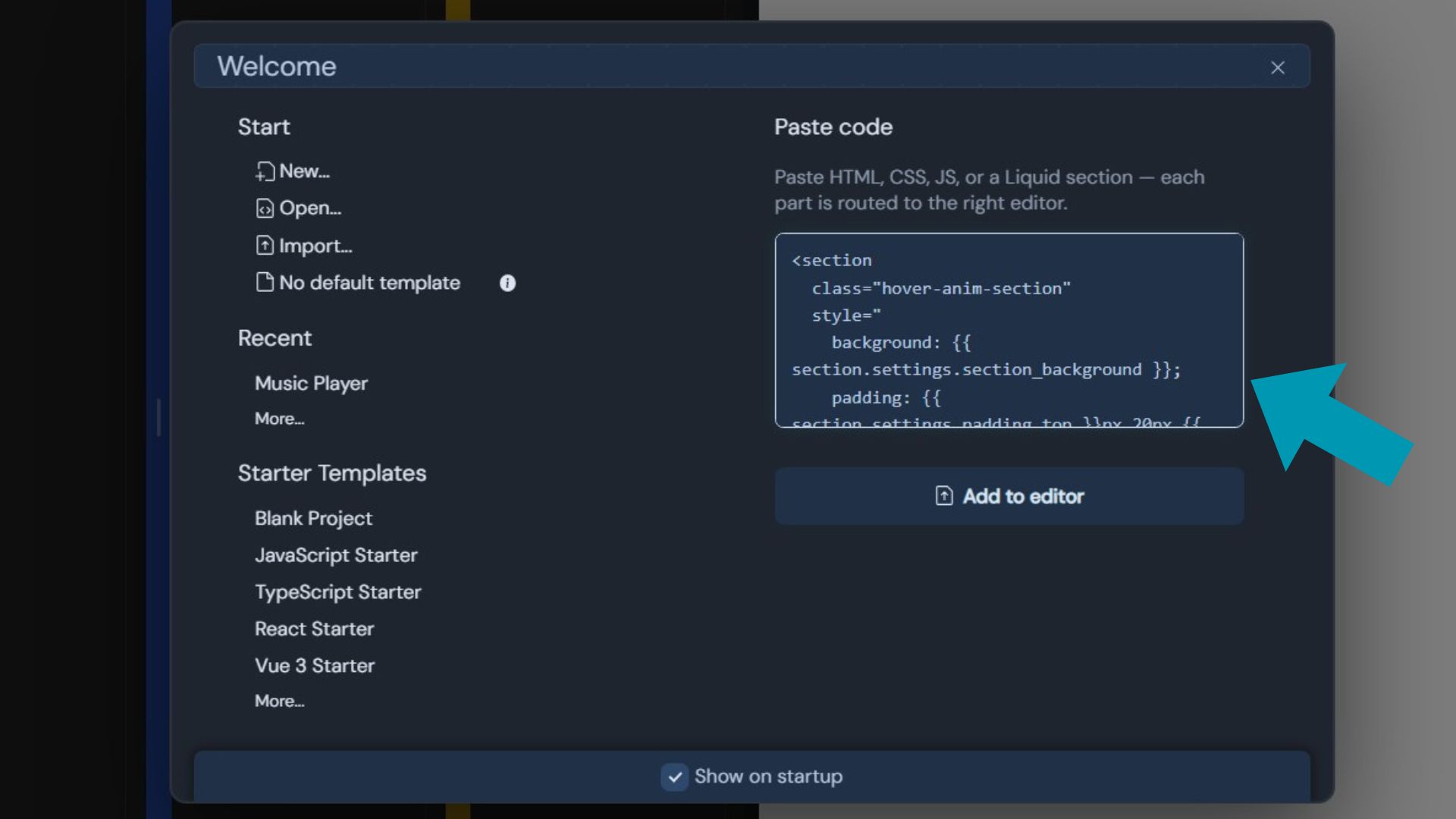
Drop in the snippet from your AI chat, or use the prompt above to get cleaner output.
Make the pieces people should change editable and lock down everything else.
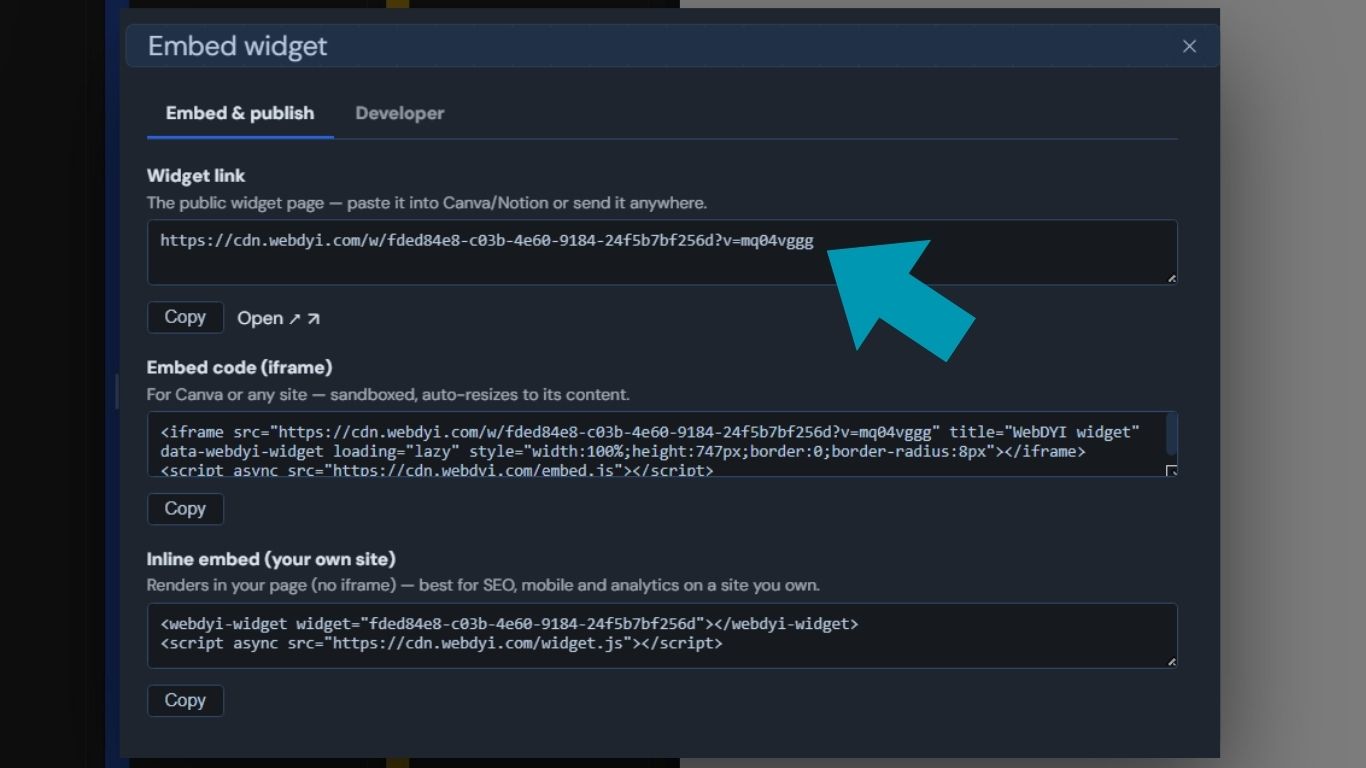
Share the public page, paste the iframe, or embed it in Canva, Notion, Shopify, or any site.
Simple plans for experiments, AI-assisted builds, and teams that publish widgets for clients.
For AI experiments, side projects, and public widgets with WebDYI branding.
For builders who want polished, white-label widgets for clients or audiences.
For studios and teams managing many AI-assisted widgets and client workflows.
No. You can paste the code, preview it, and use WebDYI's customizer to expose only the settings people should edit. Understanding the code helps, but it is not required for the basic workflow.
Yes. WebDYI gives you public widget links and iframe embed code for platforms that support embeds, including Canva, Notion, Shopify, WordPress, Webflow, and normal websites.
WebDYI shows you a live preview as soon as you paste. If something looks wrong, ask the AI to fix the specific issue and paste the updated code back in.
Yes, if the widget includes a WebDYI schema. The prompt builder on this page asks the AI to output editable settings for text, colors, images, icons, numbers, and other controls.
Widgets are delivered through isolated iframe embeds so the host page stays separate from widget code. That keeps experiments and client widgets easier to publish safely.
Turn your next AI-generated component, client idea, or template experiment into a polished embed people can actually use.